

GReminders is a HIPAA-compatible, secure AI-powered meeting reminder and notes platform. By integrating GReminders with NextAgency you can use their tools to ensure nothing slips through the cracks. The NextAgency-GReminders integration enables:
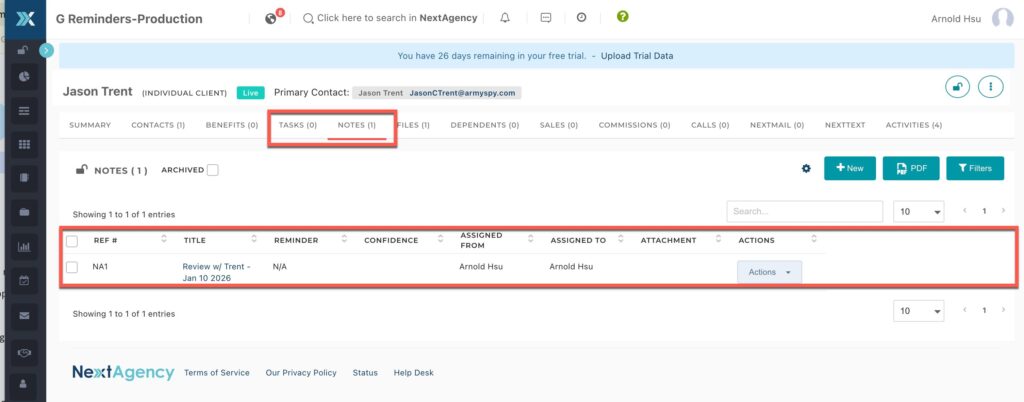
- Notes taken by GReminders AI Notetaker are pushed to NextAgency Case records
- Tasks generated by AI Notetaker are pushed to NextAgency Cases
- GReminder generates pre-meeting briefs from NextAgency Client Data and Notes
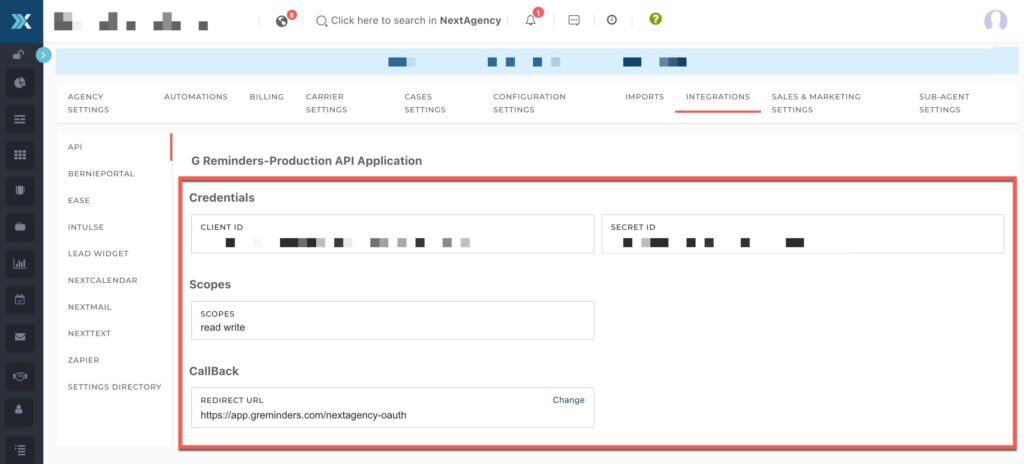
Step 1) Navigate to Settings in your NextAgency account
- Select Integrations then API.
- Copy your:
- Client ID
- Secret ID
- The Callback URL to use in GReminders is:
https://app.greminders.com/nextagency-oauth
Step 2) Go to GReminders
In GReminders, navigate to Setup > Integrations, find NextAgency in the list, and click Setup. Enter your NextAgency domain, Client ID, and Client Secret into the form.

Click Next and you will be presented with an Authorization Screen. Approve the authorization to complete the connection.

Note: If you have additional users in your GReminders instance, they will each need to authorize their NextAgency user accounts as well.
Using the GReminder-NextAgency Integration
In GReminders, open a Notetaker Record and save the Summary. You will then be able to select a NextAgency Case to log the Summary to.
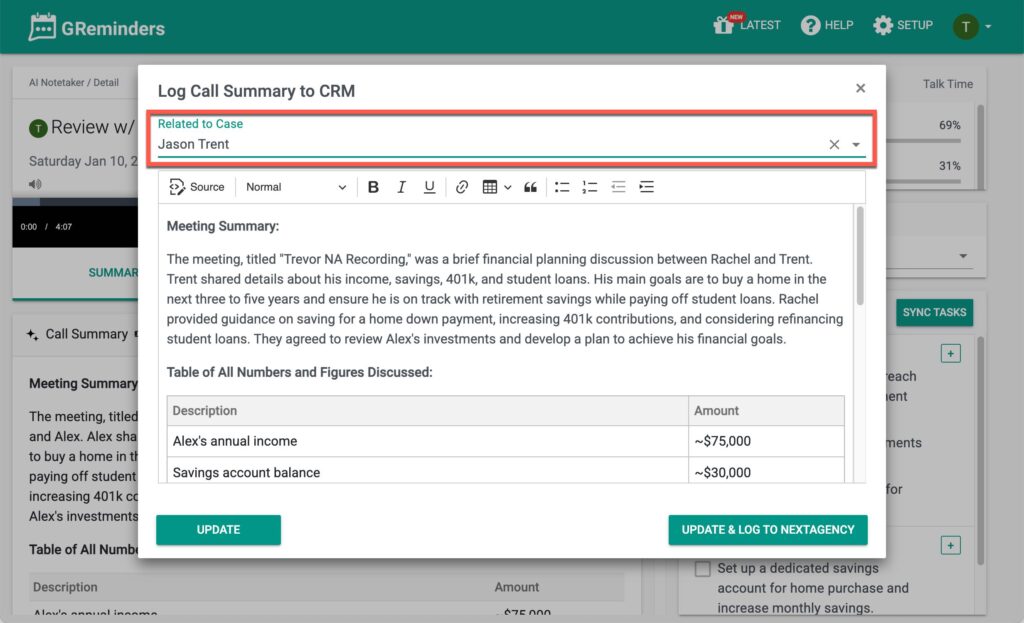
From here you can select one of your NextAgency Cases and click Update & Log to push the meeting summary and tasks directly into that Case record.
Enhancing Pre-Meeting Briefs
GReminders will pull all the latest Notes from NextAgency for Pre-Meeting Brief notifications. Simply have the meeting on your Google or Outlook calendar with the same email address as your NextAgency contact and you will automatically receive a Pre-Meeting Brief.
If you have questions, please reach out to our support team at support@nextagency.com